Tips, for every part of ETalken.
Short, practical help for each part of ETalken.
Speak
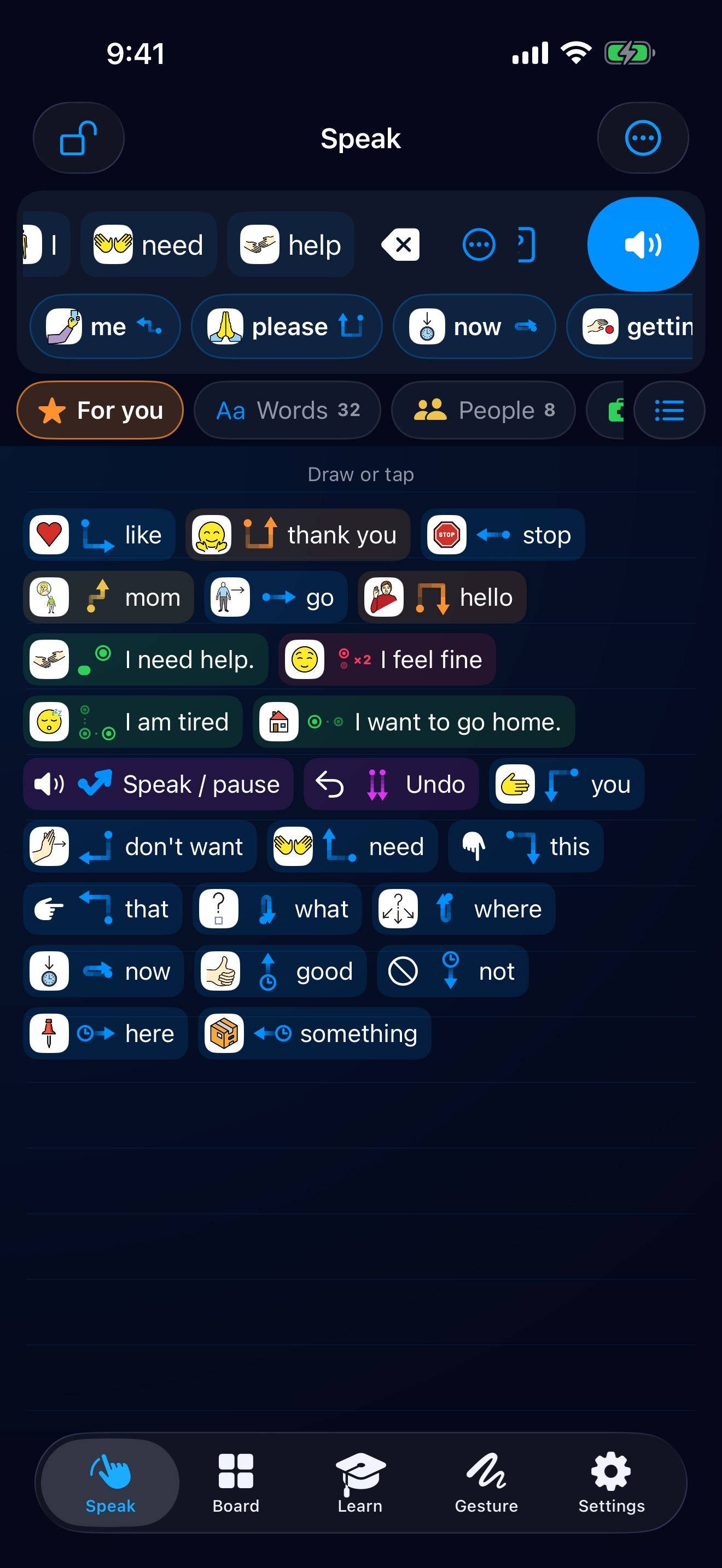
Talk without looking. Draw or tap anywhere on the Speak pad, and keep your eyes on the person you’re talking to.
Draw it in one go
Draw each gesture with one thumb, without lifting. Size doesn’t matter.
Say it with a check mark
Build your sentence a word at a time, then draw a check mark ✓ with one thumb, and ETalken says it out loud.
Whole sentences
Rest one thumb anywhere and keep it still. The other thumb now says whole sentences. Changed your mind? Just lift.
Undo, redo, repeat
Both thumbs swiping together undo, redo or repeat the whole sentence.
Change any word
Hold a word in your sentence to change it, give it a gesture or take it out.
Hints, while you learn
The Speak pad shows each gesture beside its word. When you know them, turn off Hints on the Speak pad in Settings.
Board
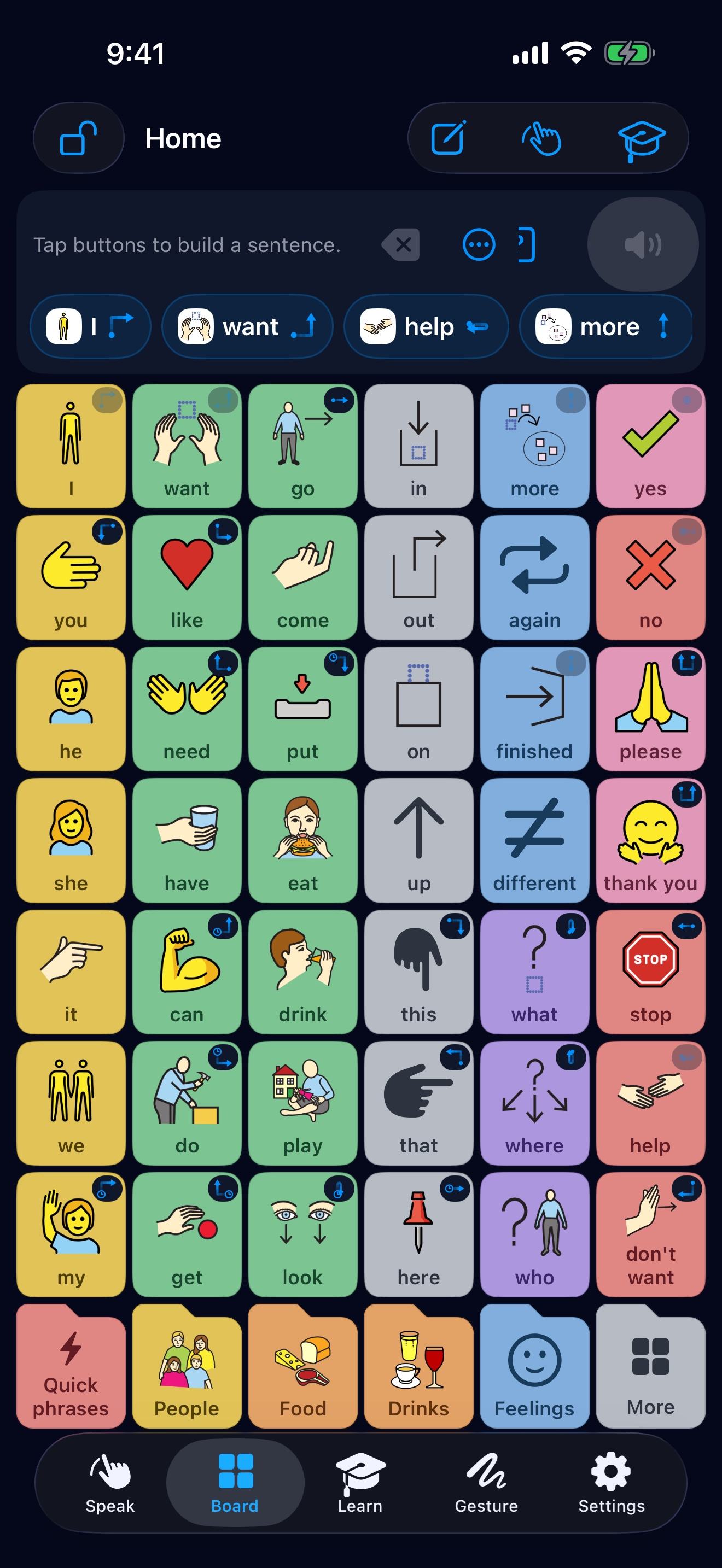
A picture board laid out like other AAC boards, with Home’s folders in a row along the bottom of every page.
Hold a button
Hold any button to rename it, change its picture or give it a gesture. Move, Copy and Hide are there too.
Put it exactly where you want
After Move or Copy, tap an empty box to put it there, or open a folder to take it there. Tap a button on the same page, and the two change places.
Add right there
Hold an empty box to add a word or a folder in that box.
Board size
Bigger buttons show fewer words. Each size has a layout made for the screen, and at each size every word keeps its place.
Lock the board
Locked, ETalken shows just Speak and the board. Start locked in Settings opens it locked every time. To lock the whole device, use Guided Access on iPhone and iPad, or app pinning on Android.
Caregiver code
When a code is set, Settings, the Gesture tab and editing the board ask for it. Talking never does.
Bring your board
Coming from another AAC app? ETalken can arrange its board like the one your hands already know.
Four steps
- In your other app, take a screenshot of the main page, then one of each folder you use.
- In ETalken, open Settings, and under Your board choose A board like yours.
- Tap each button that opens a folder, then give each folder its screenshot.
- Check the preview, then tap Bring it in.
Good to know
Even one screenshot of your main page is a great start. Your words go where you had them, and every folder of ETalken’s stays.
Your screenshots never leave your phone. If you change your mind, Settings can bring back the board you had.
Learn
Short lessons teach one gesture at a time, in the Learn tab.
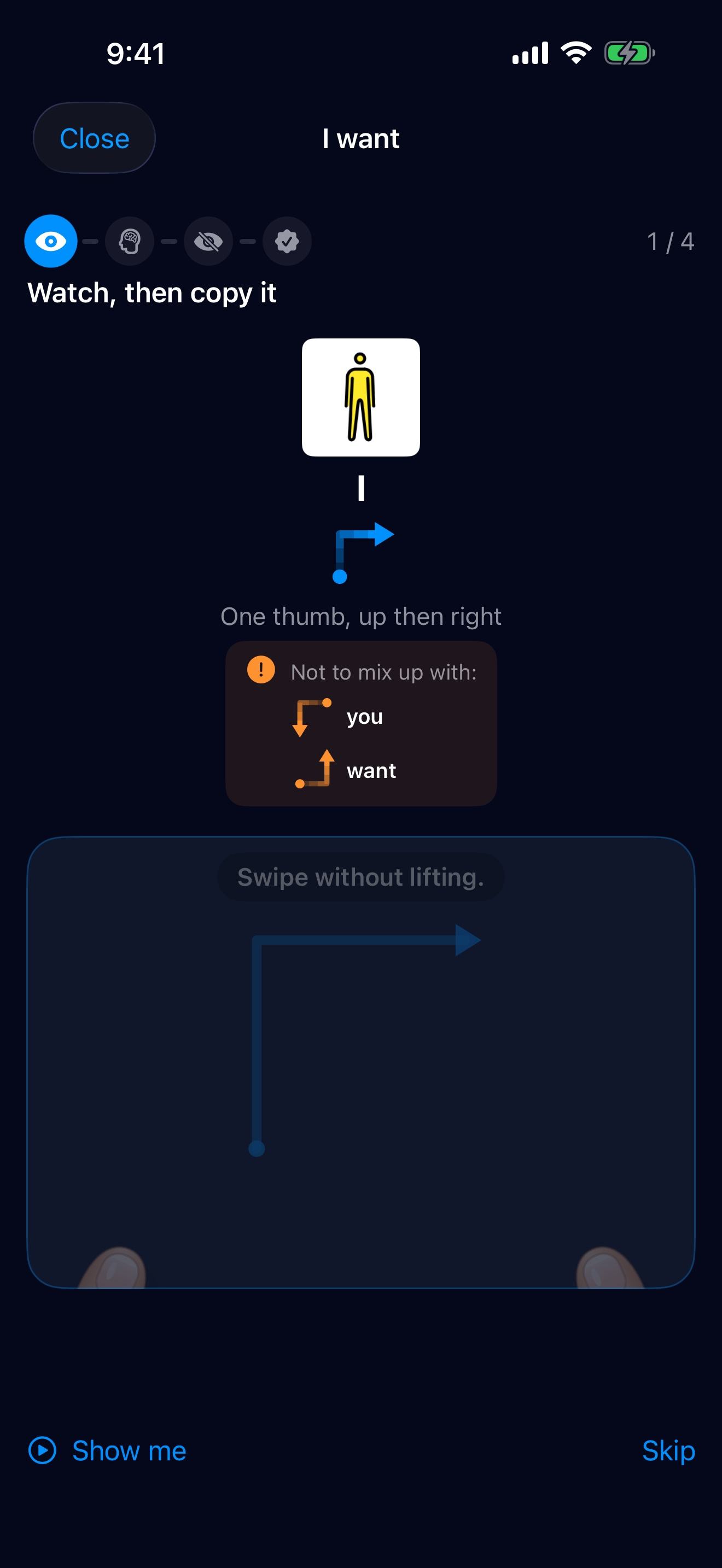
Watch, copy, then without looking
Each lesson shows the gesture with thumbs. Copy it, then do it again without looking at the screen.
Not to mix up
When two gestures are alike, the lesson shows both, so you can feel the difference.
Daily practice
Finish a lesson first. Daily practice picks up from there, a minute at a time.
Make it stick
To master a gesture, practice it again on another day, without looking.
See your progress
Progress shows words said, gestures learned and days talking. It’s counted only on this device and never sent anywhere.
Your own gestures
Any word or sentence can have a gesture of its own.
Give it a gesture
Hold a button and choose Give it a gesture. ETalken picks an easy one, and you learn it in seconds.
Make your own
In the Gesture tab, make your own: finger moves, drawn shapes, tap rhythms, or lines and dots. ETalken guides you.
Dots are easy to feel
Tap two or three dots apart, like left then right. Easier than drawing, and easy to feel without looking.
Keep them different
Make each gesture look different from your others. A line done backwards can say the opposite.
Drawn shapes
Draw a new shape 3 to 5 times, the same way each time, so ETalken knows it well.
Free up gestures
Progress shows gestures you don’t use. Give them to words you use a lot.
Settings
Make ETalken fit the person using it.
Who is talking?
Choose a child, teen or adult to add words that fit, said the way they would say them.
Voice and tone
Pick a voice, then a tone that changes its pitch, speed and loudness on this device.
Speak right away
For full sentences: ETalken speaks at once instead of adding to the sentence.
Backup
ETalken Backup makes one file with your board, gestures, groups, settings and learning progress, pictures and sounds included.
The ETalken keyboard
Use your board and gestures in other apps, like messages and email.
On iPhone and iPad
- In ETalken, open Settings, then ETalken Keyboard.
- Turn on ETalken Keyboard in iOS Settings.
- In any app, use the globe key to choose ETalken.
Kept in step
The keyboard uses the same buttons and gestures as the app. Keyboard sync is included with Premium.
Still stuck?
Tell us what happened, or what you’d like ETalken to do. We read every message.
You can also write to support@etalken.com.