Personal communication,drawn or tapped.
Thumb gestures that speak for you, short lessons that teach them, and a picture board whenever you want one.


Free to try17 languagesWorks offlineNo ads
ETalken. You Talken. Talk with your thumbs.
Why it’s different
Most AAC asks you to look down. ETalken lets you look up.
01 Try it here
Draw a word. Hear it.
Every word has its own small shape. Have a go: draw one with your finger or mouse, build a sentence, then a check mark says it.
- Draw a word anywhere on the pad.
- Words line up into a sentence.
- A check mark says it out loud.
02 Whole sentences
One pattern. A whole sentence.
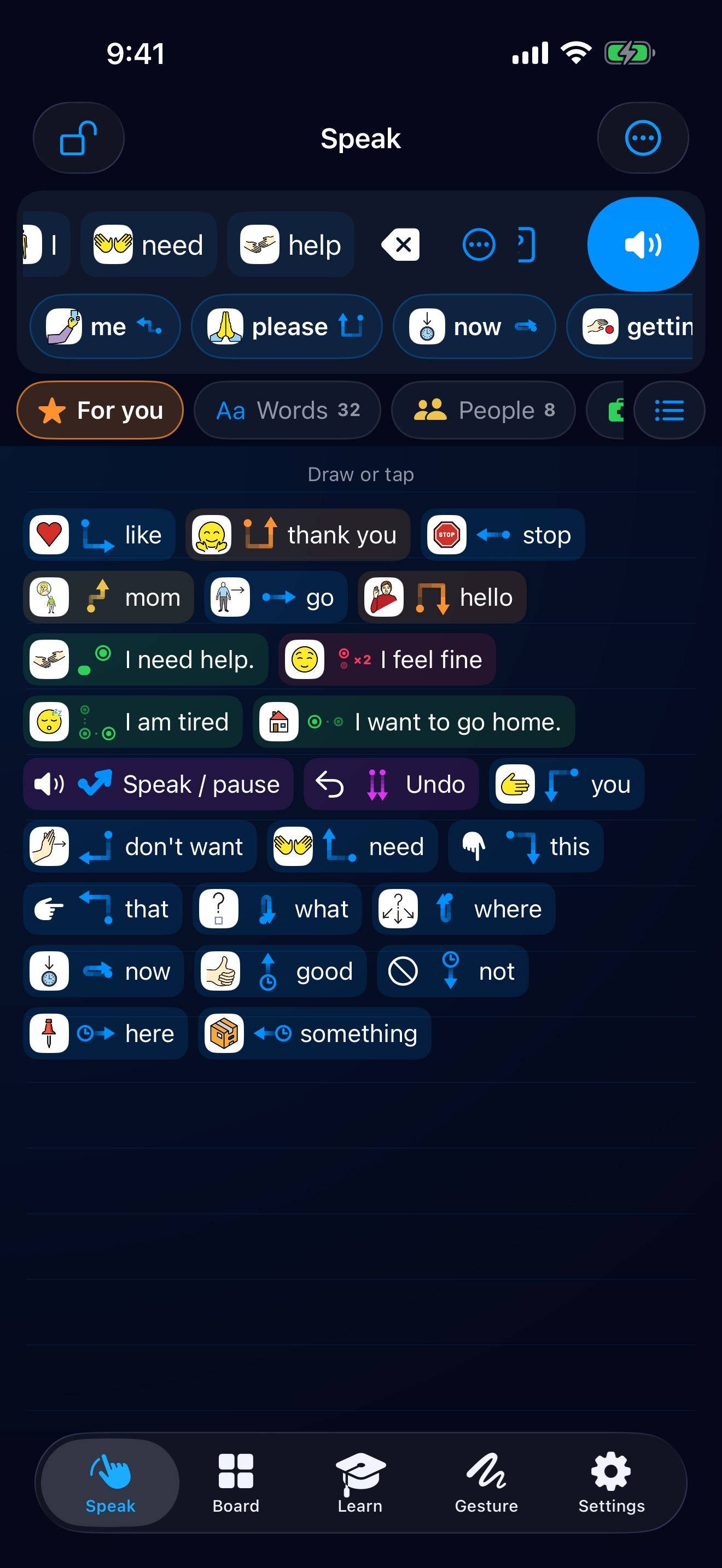
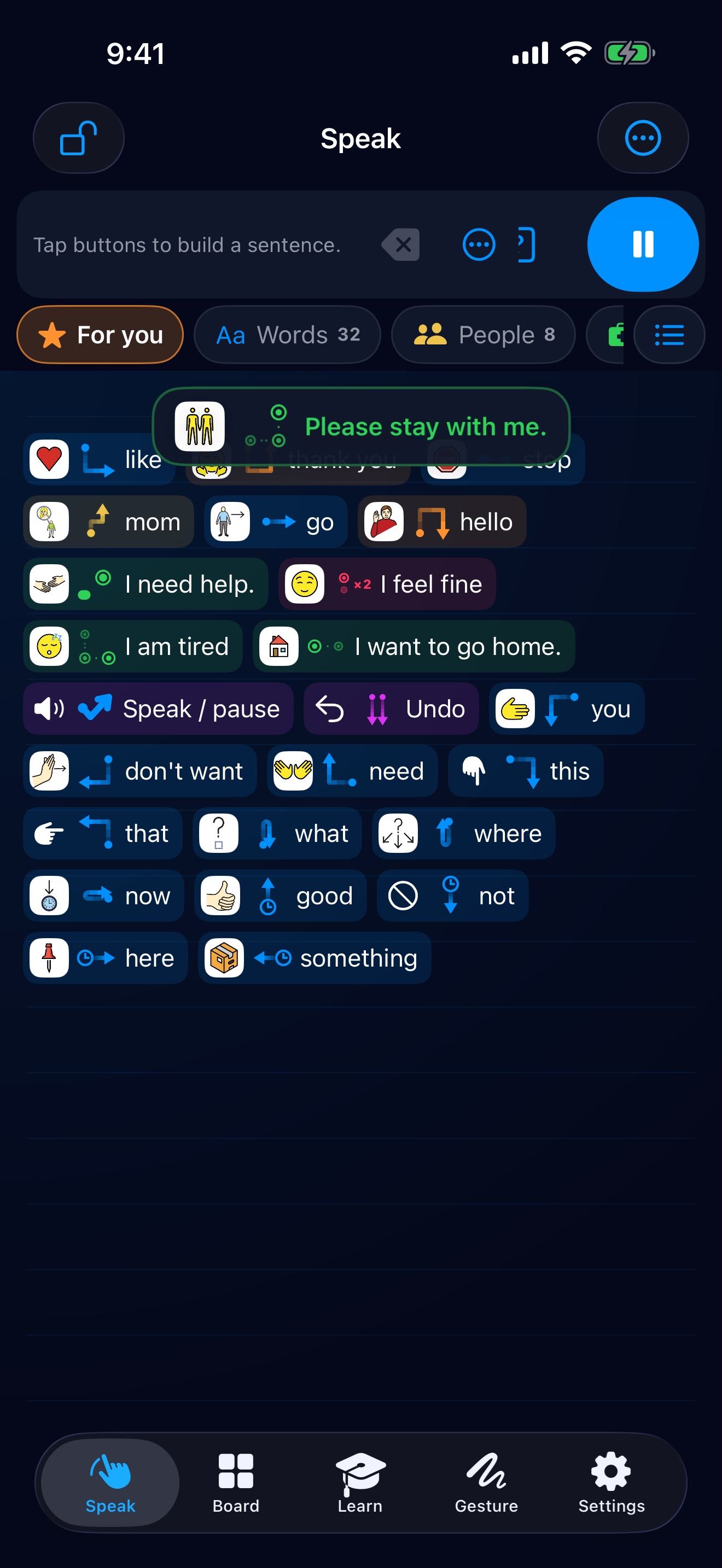
Tap a few dots, anywhere on the screen, for the things you say every day. When it’s urgent, rest one thumb and tap with the other.
03 The board
A picture board, when you want one.
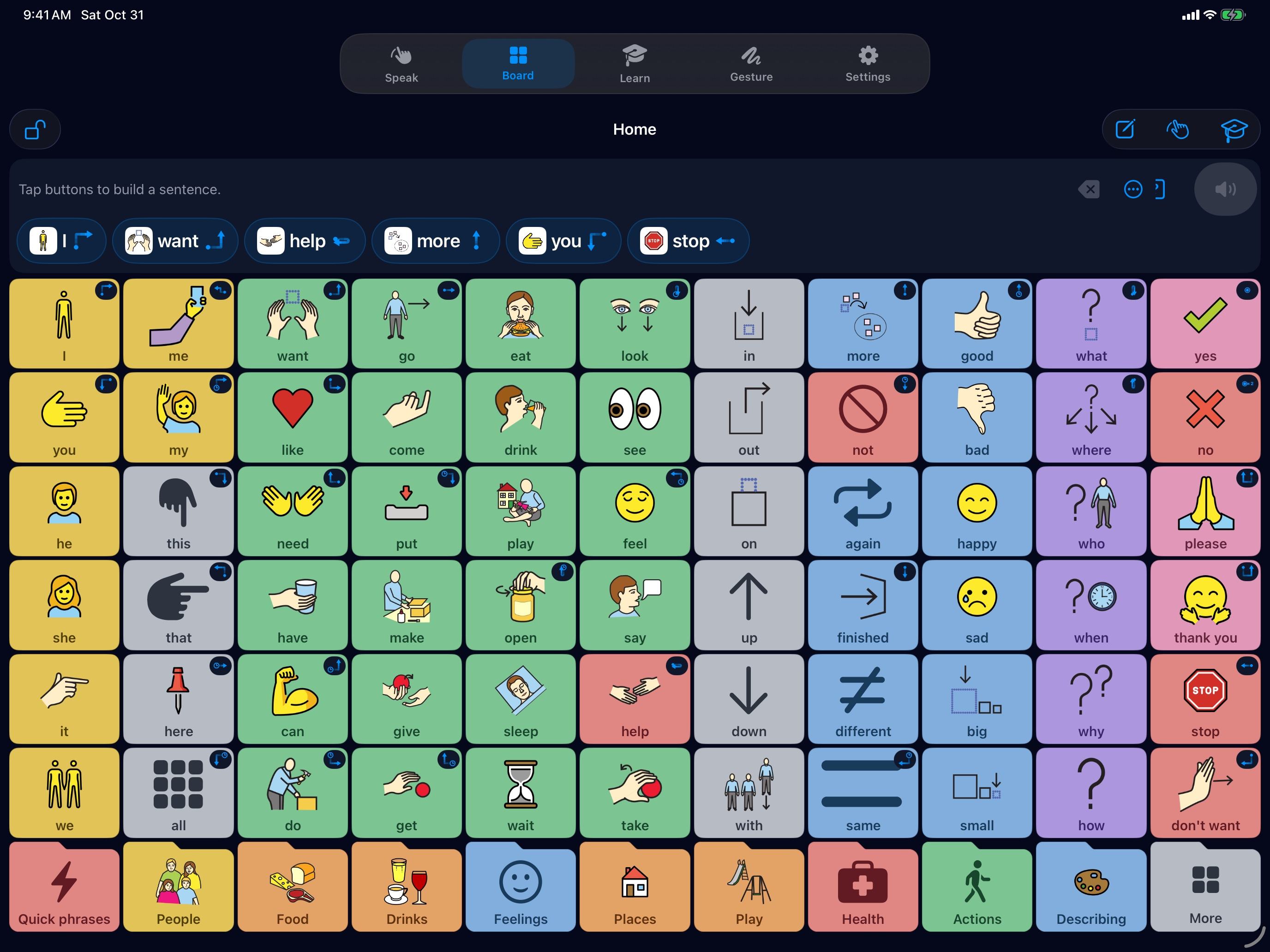
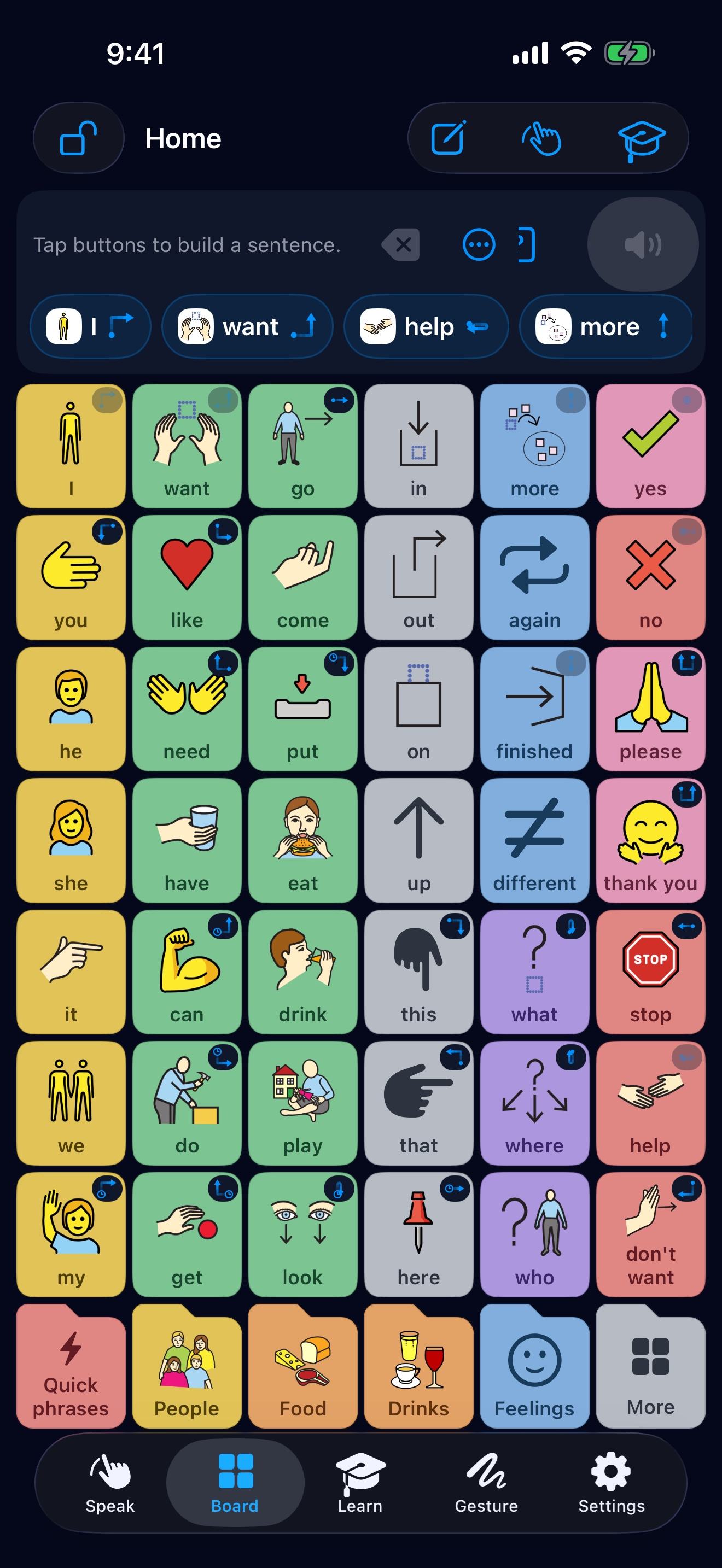
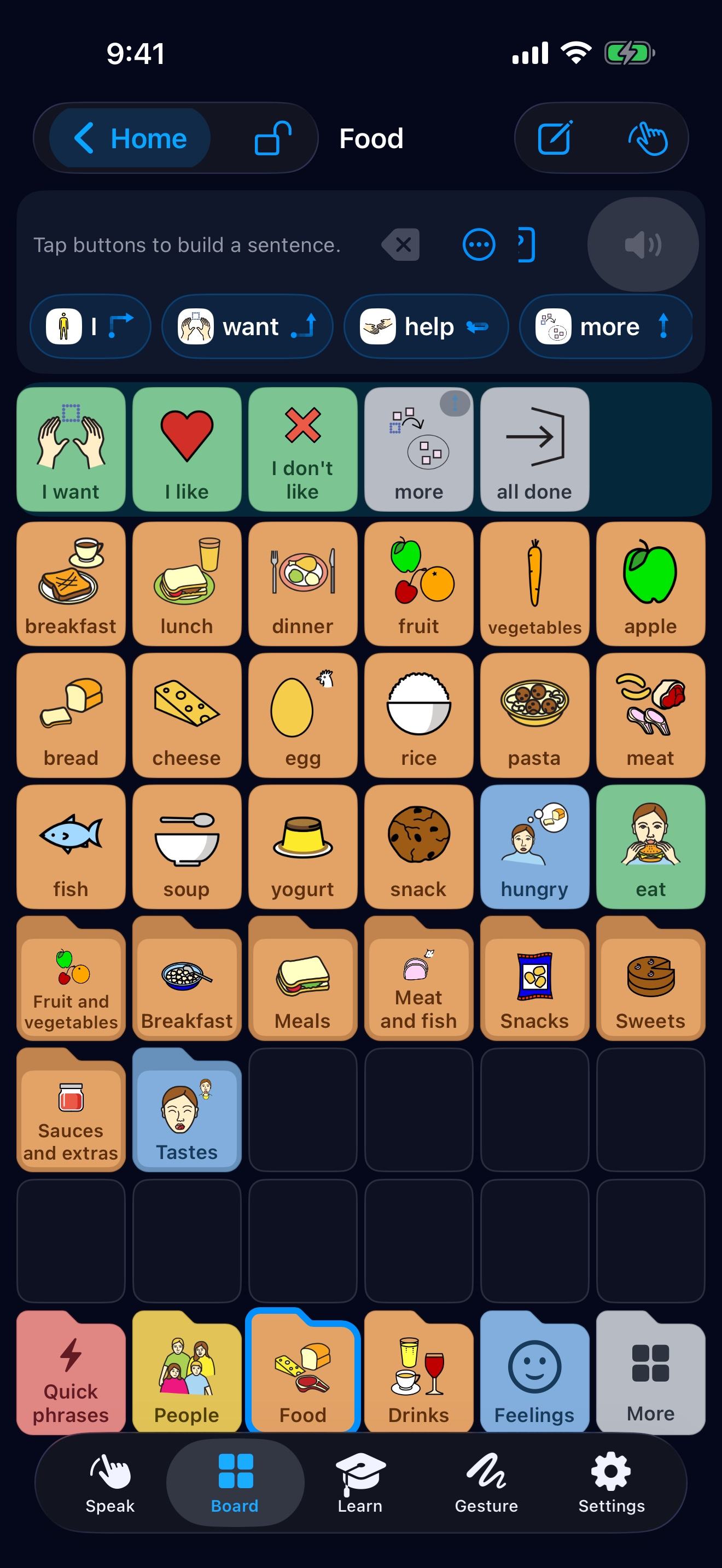
A full AAC board, set out the way people already know, on iPhone, iPad and Android.
- 01
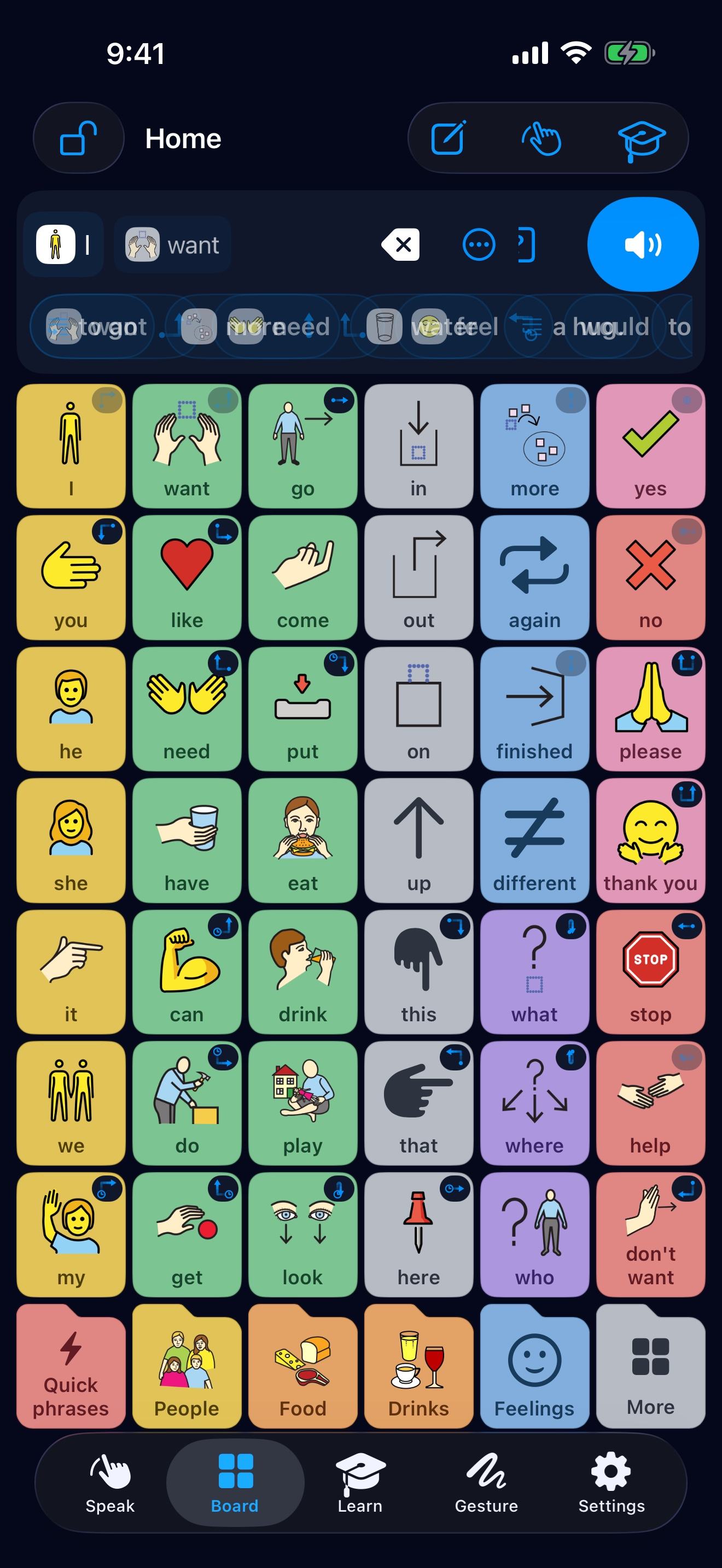
Words where hands expect them.
Core words on Home, in colour by kind, each in a fixed place at every size.
- 02
Folders always in reach.
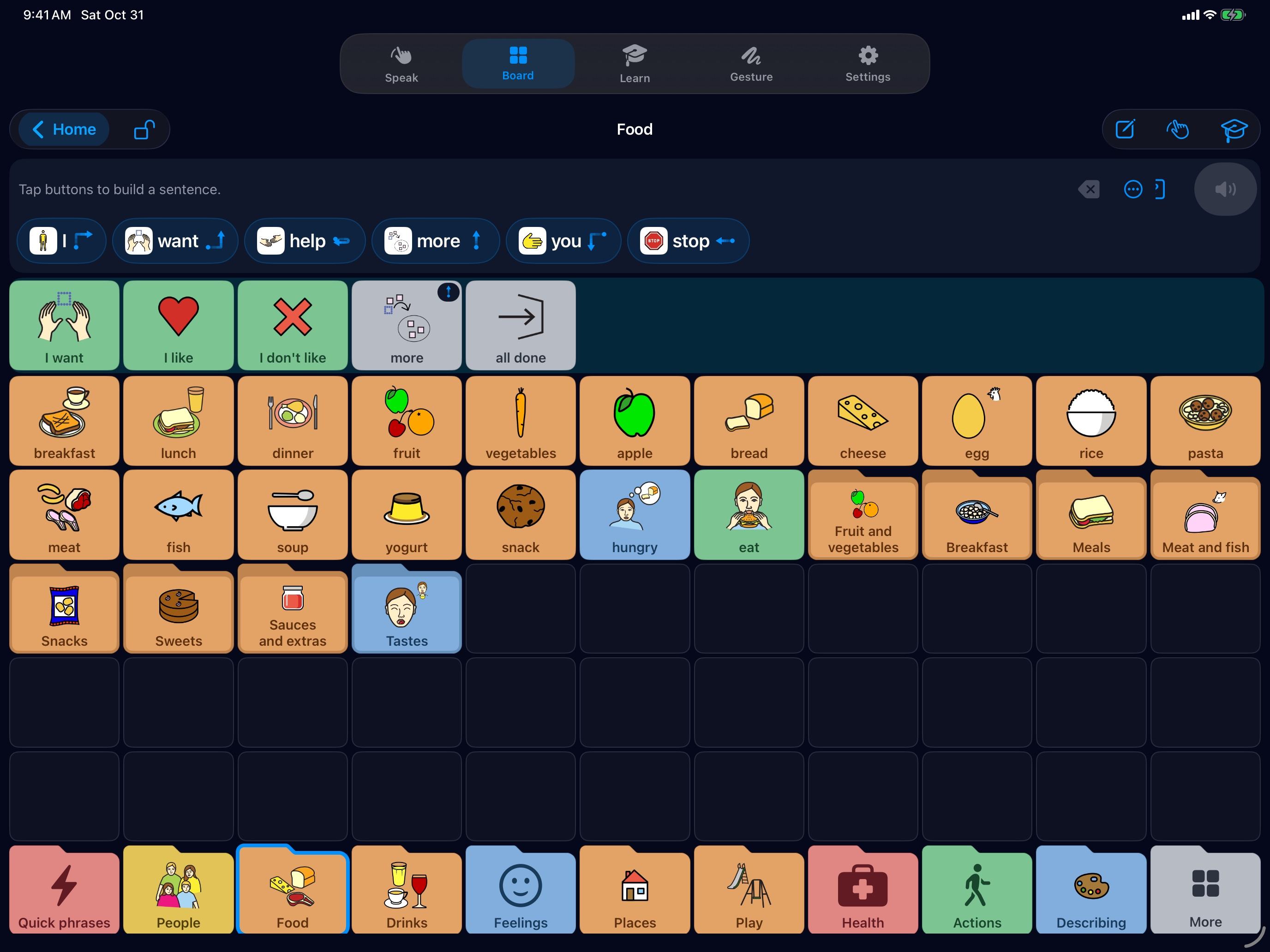
Home’s folders stay along the bottom of every page, with helpers like “I want” and “more” at the top.
- 03
It helps you finish.
Start with a word, and ETalken offers what you usually say next.
- Hold any button to move, copy or hide it, right into the box you choose.
- Choose a size, small to extra large. Each has its own layout, and every word keeps its place.
- Lock it to keep just Speak and the board. A caregiver code keeps settings safe.
04 Coming from another app?
Bring your board with you.
Show ETalken a few screenshots of the board you use now. It arranges its own board the same way, so your hands already know where the words are.
- A few screenshots of your main page and the folders you use.
- The same layout, with your words where you had them.
- Read on your phone, never uploaded.
A closer look
Real screens, made for every hand.
ETalken on iPad and iPhone, and the ETalken keyboard that brings your board and gestures to messages and other apps.
Home, on iPad
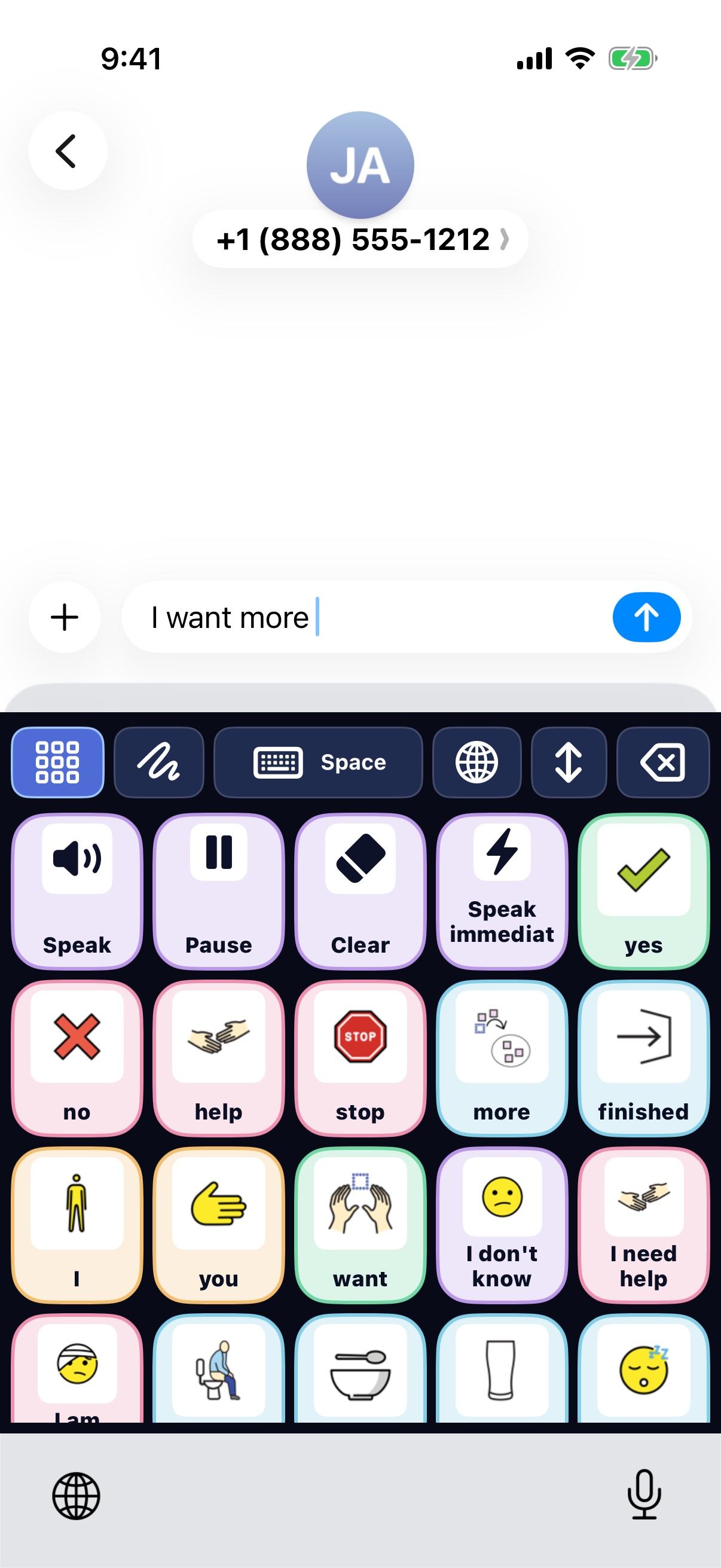
The keyboard in Messages
Food, with its helpers
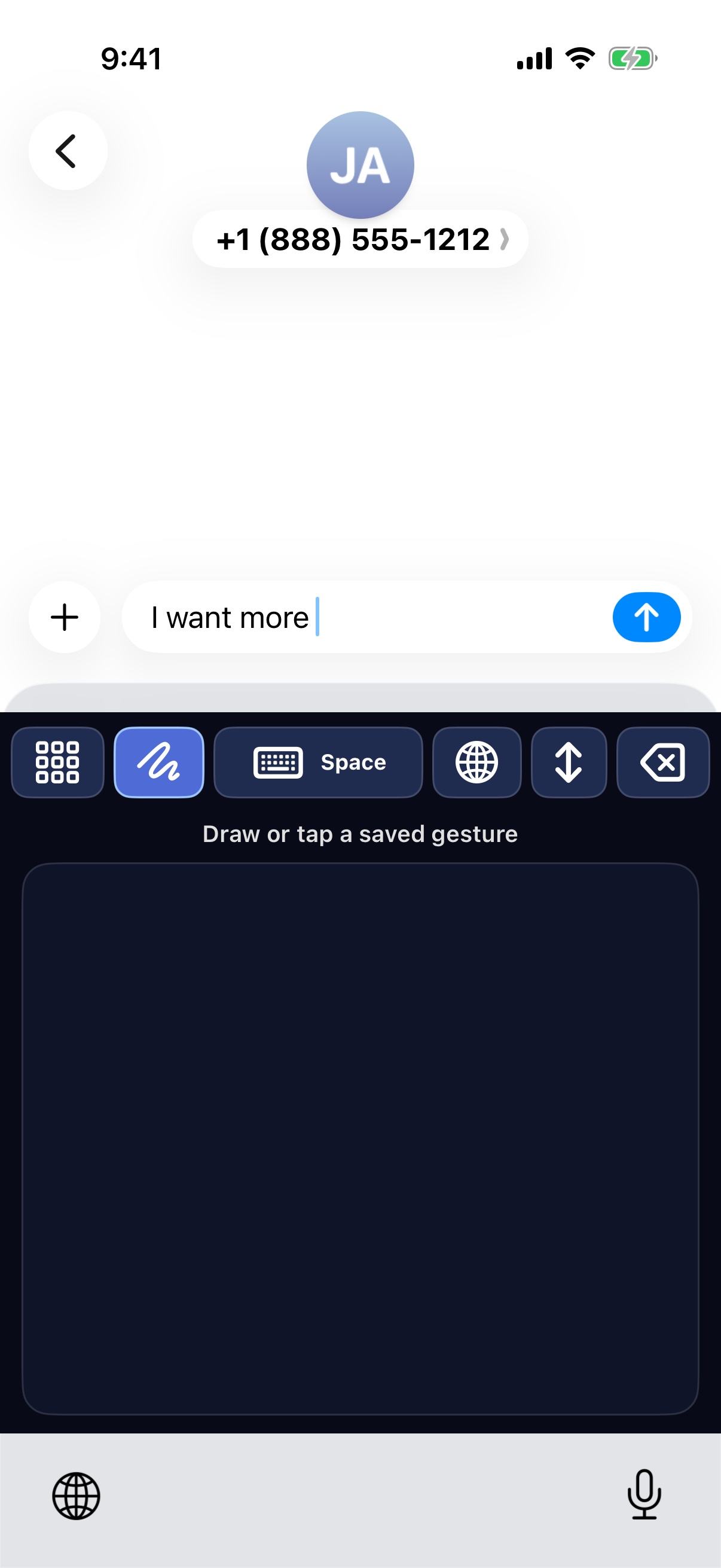
Draw in the keyboard, too
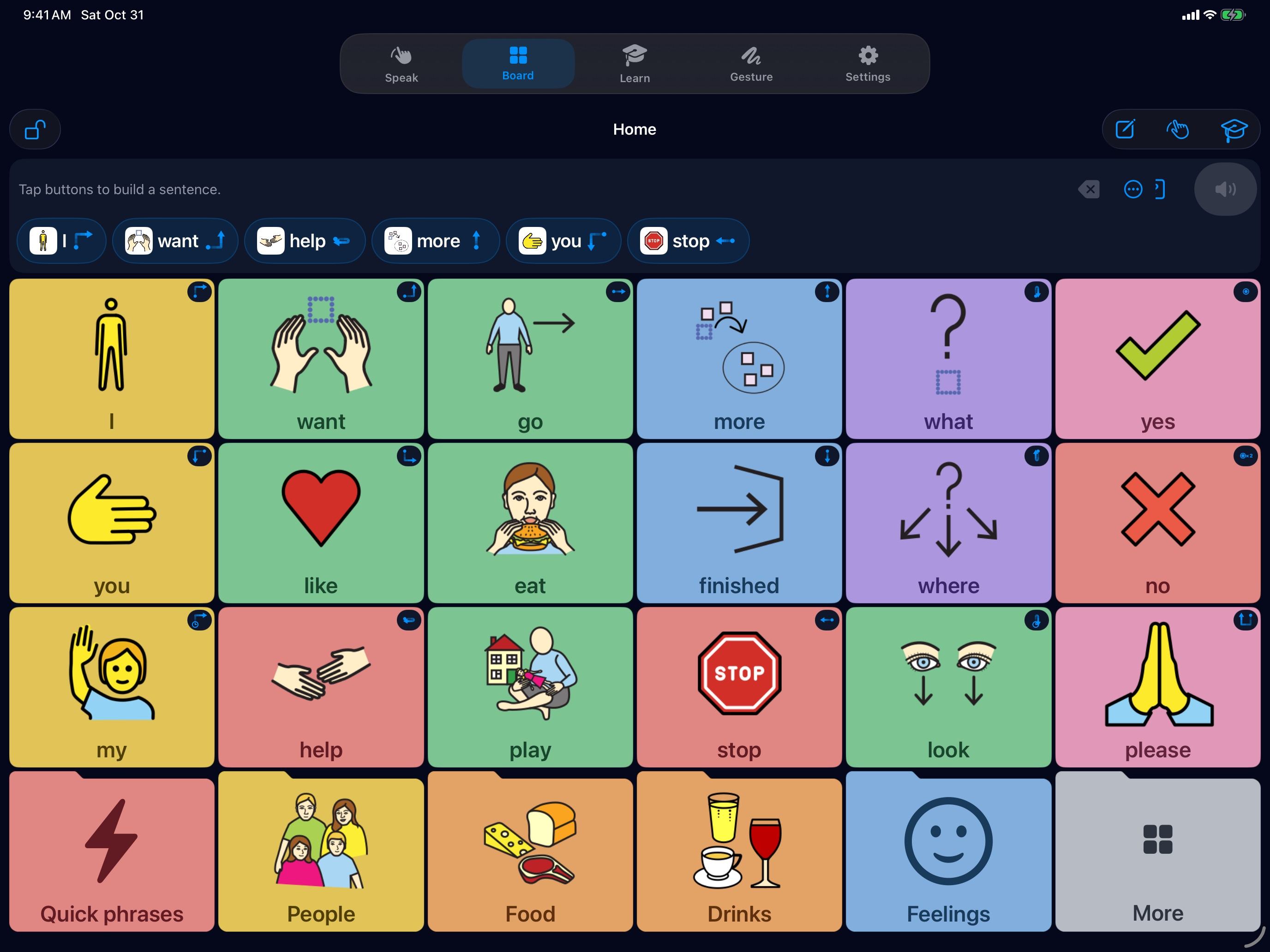
Extra large buttons
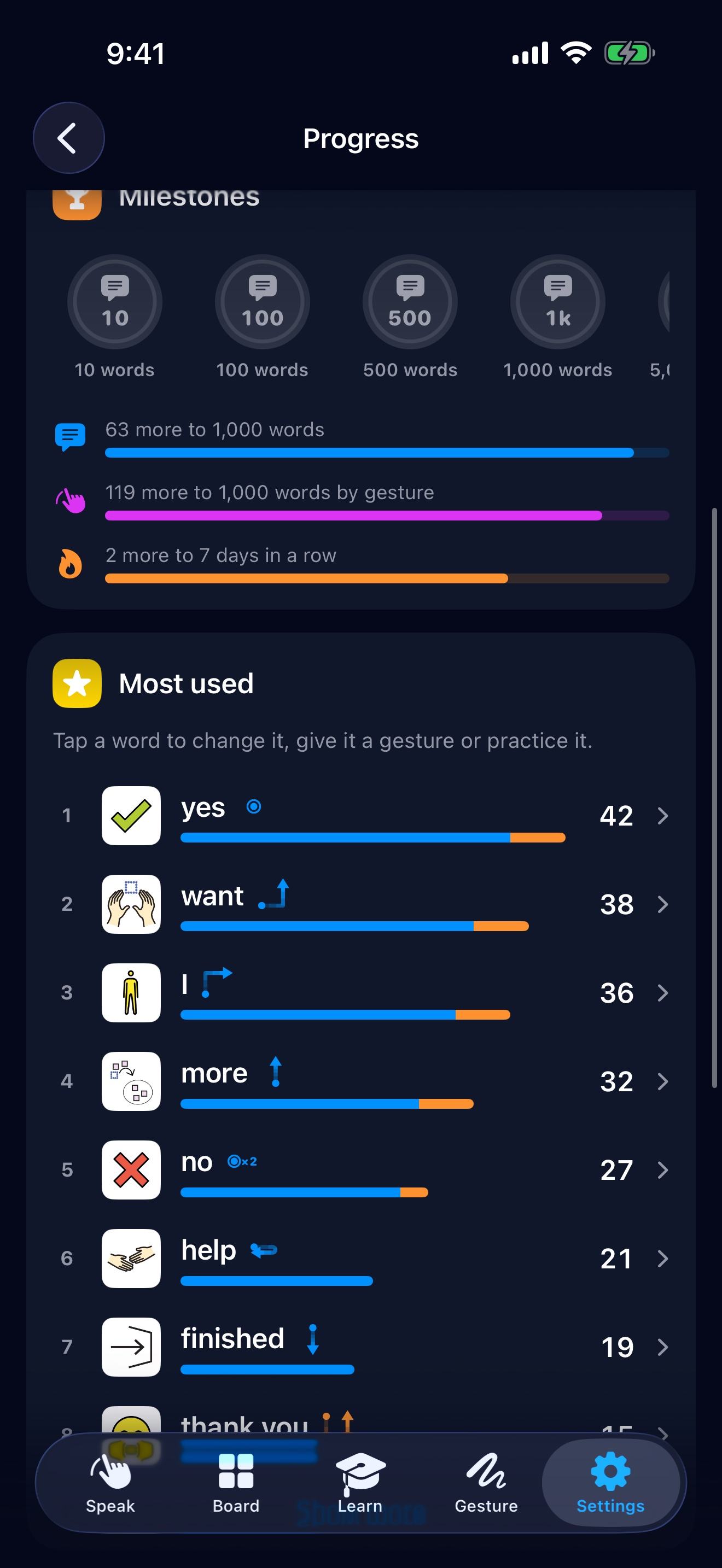
Milestones to celebrate
A whole sentence at once
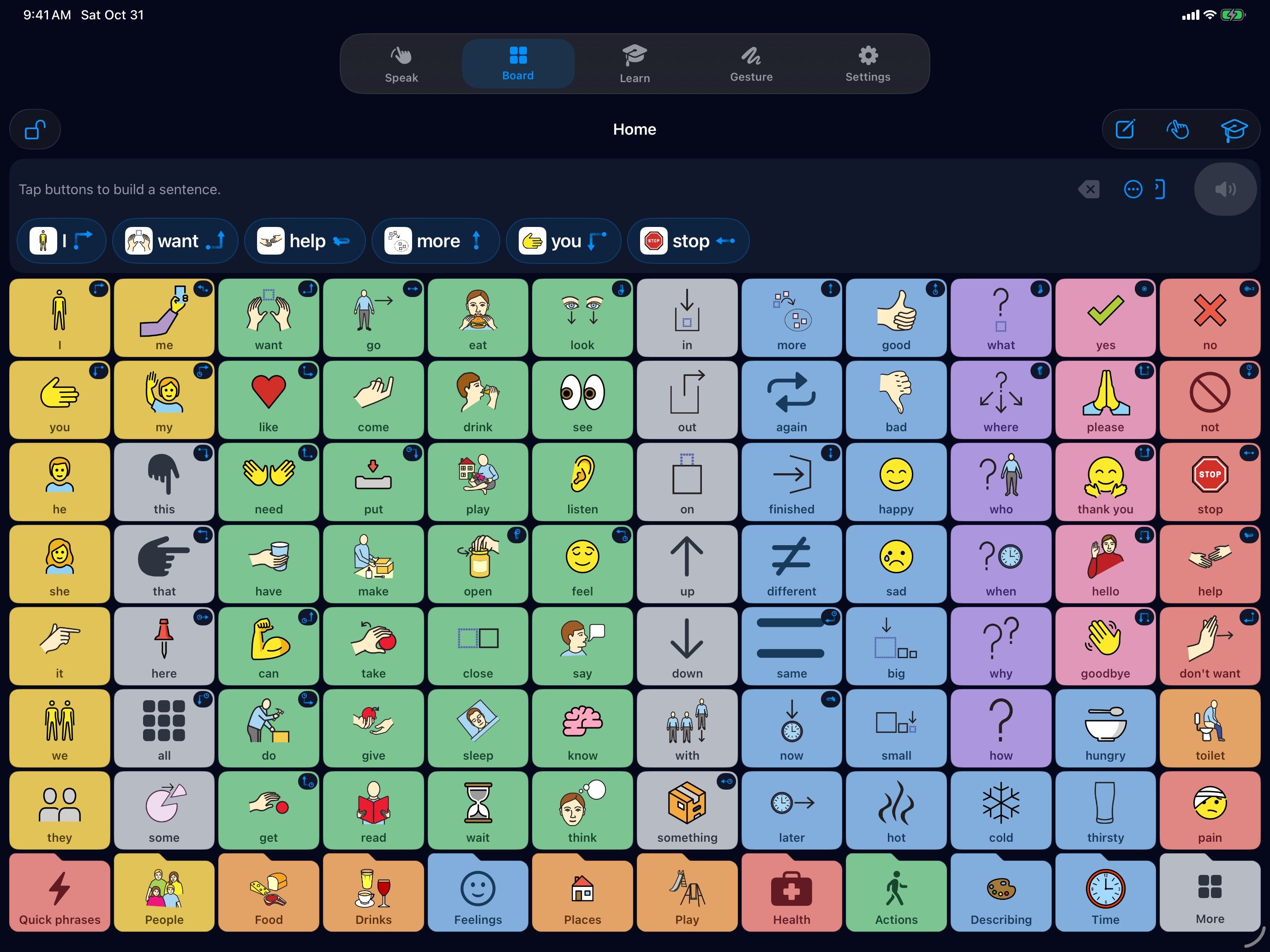
Small buttons, more words
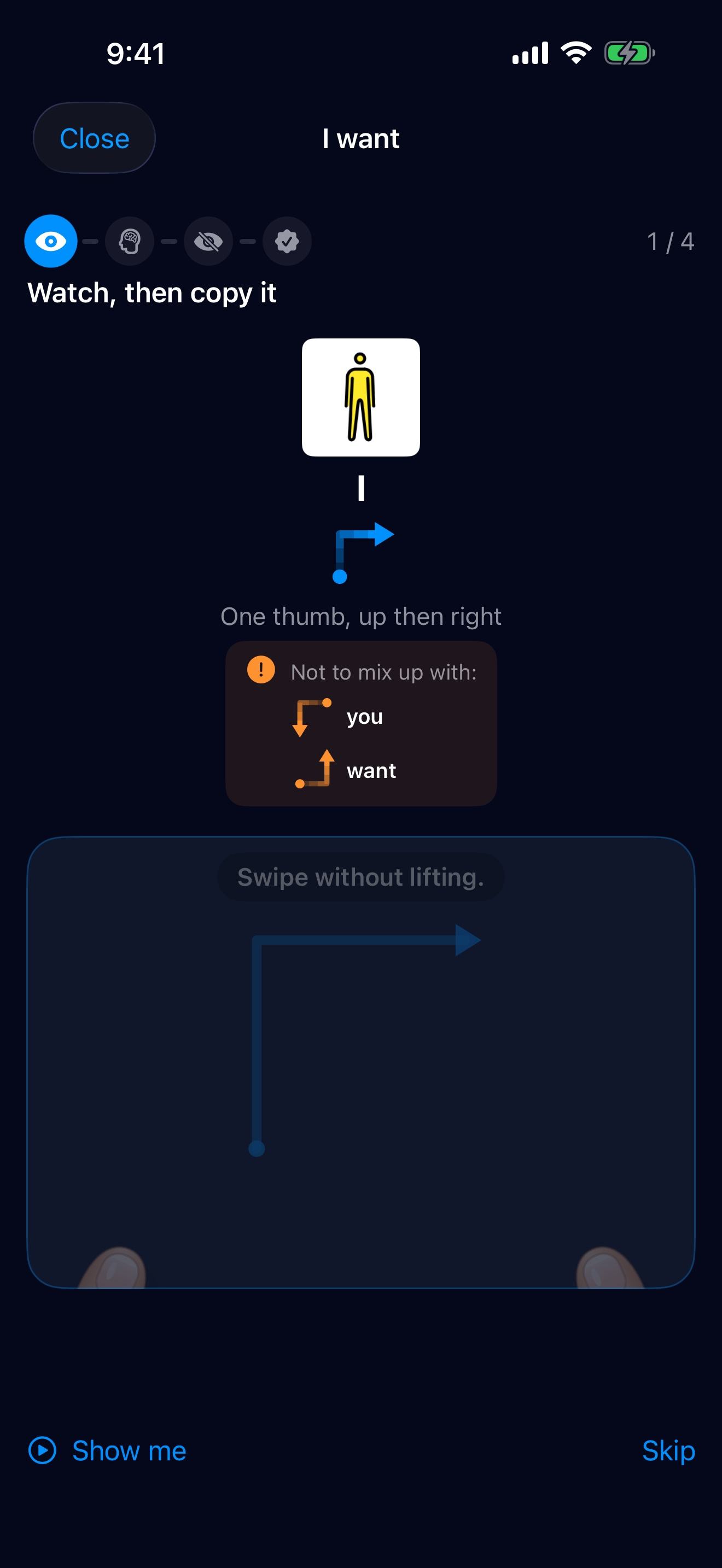
A little lesson
05 Learn as you go
Little lessons, at your own pace.
Watch the thumbs, copy the shape, then try it without looking. There’s no rush: every try counts, and a minute a day makes it stick.
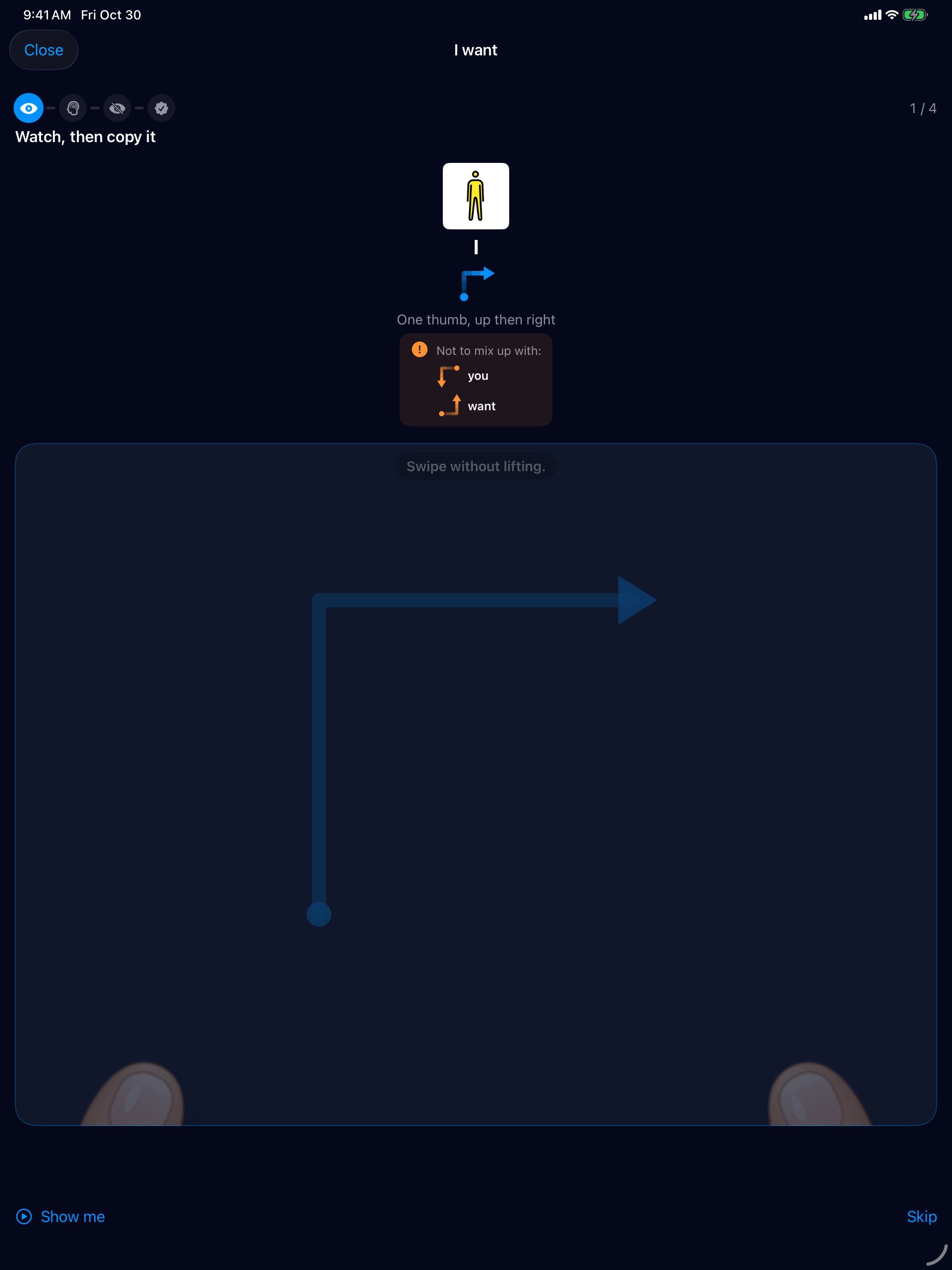
Watch the thumbs show it, nice and slow.
- Make it a game. Try a gesture together, then cheer.
- Start small. Yes and no come first, and that’s plenty.
- Every try counts. A slip is just part of learning.
06 Who is talking?
Words that fit the person.
Choose a child, teen or adult, or health and care, and ETalken adds words that fit, said the way they would say them.
Treats, play and family
Phone, friends and space
Daily life, choices and privacy
Position, nurse, medicine and what is happening
Tap a sentence to hear it.
07 In your language
Speaks 17 languages.
I want
English
Words, lessons and voices, written for the people who speak each one, right to left too.
08 Private by design
Your words stay on your phone.
No account and no ads. ETalken works offline, and what you say is never sent anywhere.
- Works offline. Talking, the board and the lessons need no internet.
- No account. Open it and start talking.
- Locked when you want. A caregiver code keeps settings safe.
09 For families and therapists
See talking grow.
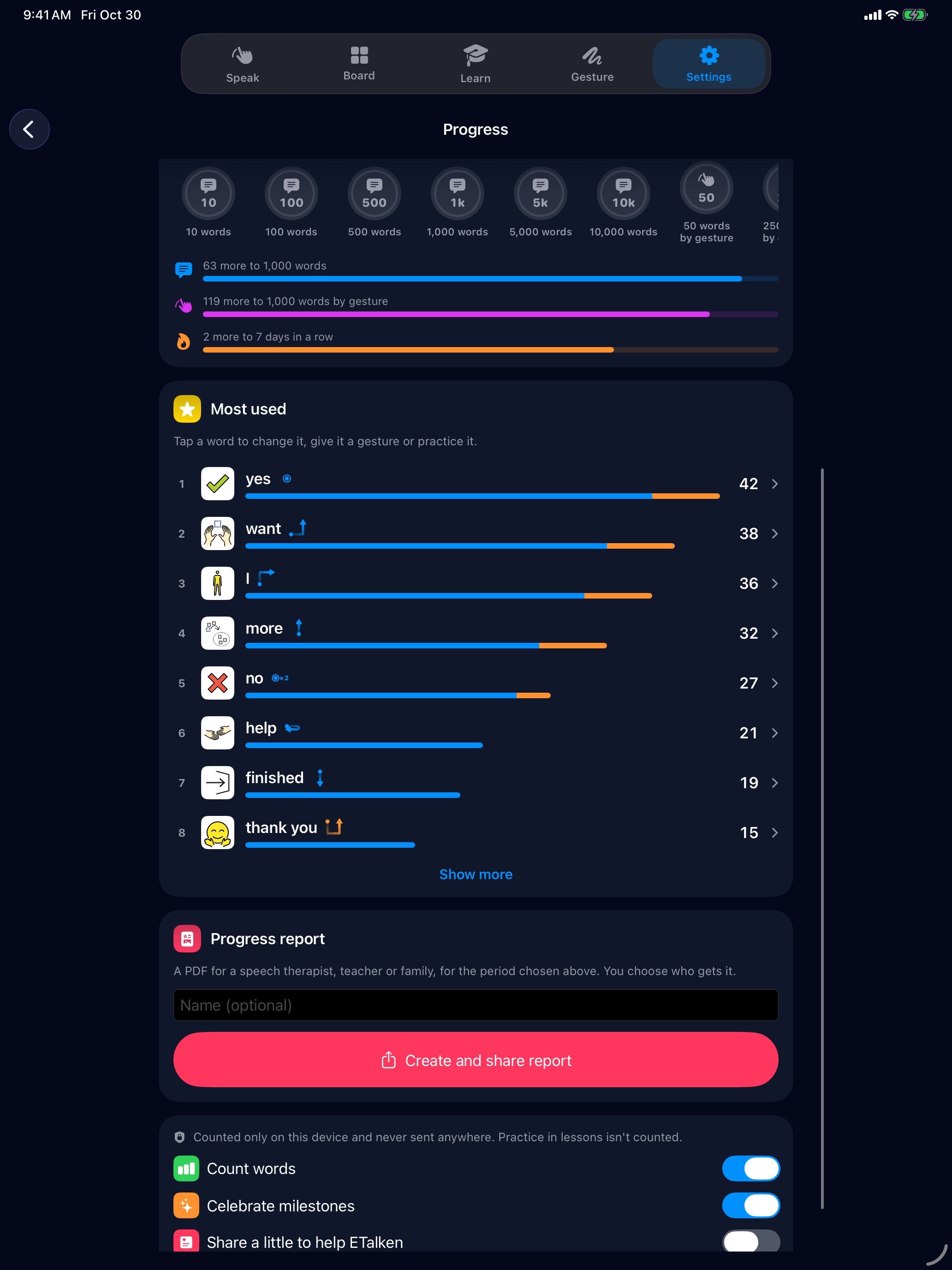
Progress for home, school and therapy, at a glance.
- Milestones to celebrate, from the first 10 words to 1,000.
- Words said and gestures learned, with the days talking in a row.
- A progress report to share with family, teachers or a therapist.
- Counted only on the device, never sent anywhere.
Working with ETalken at a school or clinic? Tell us.

Say what matters.
Start whenever you’re ready. ETalken is free to try on iPhone, iPad and Android.
Scan with your phone’s camera to get ETalken.
On iPhone, you can try it first with nothing to install.